 Materium
Material identification
How to identify materials from a photo with Materium
Discover how an AI material identifier reads patterns, surface finish and construction to build a useful material report.
Read as Markdown ↗Yes—a photo can help identify a material family. Materium brings together visible patterns, surface finish and construction cues in an AI-assisted report, helping you understand an object’s materials and explore their properties.
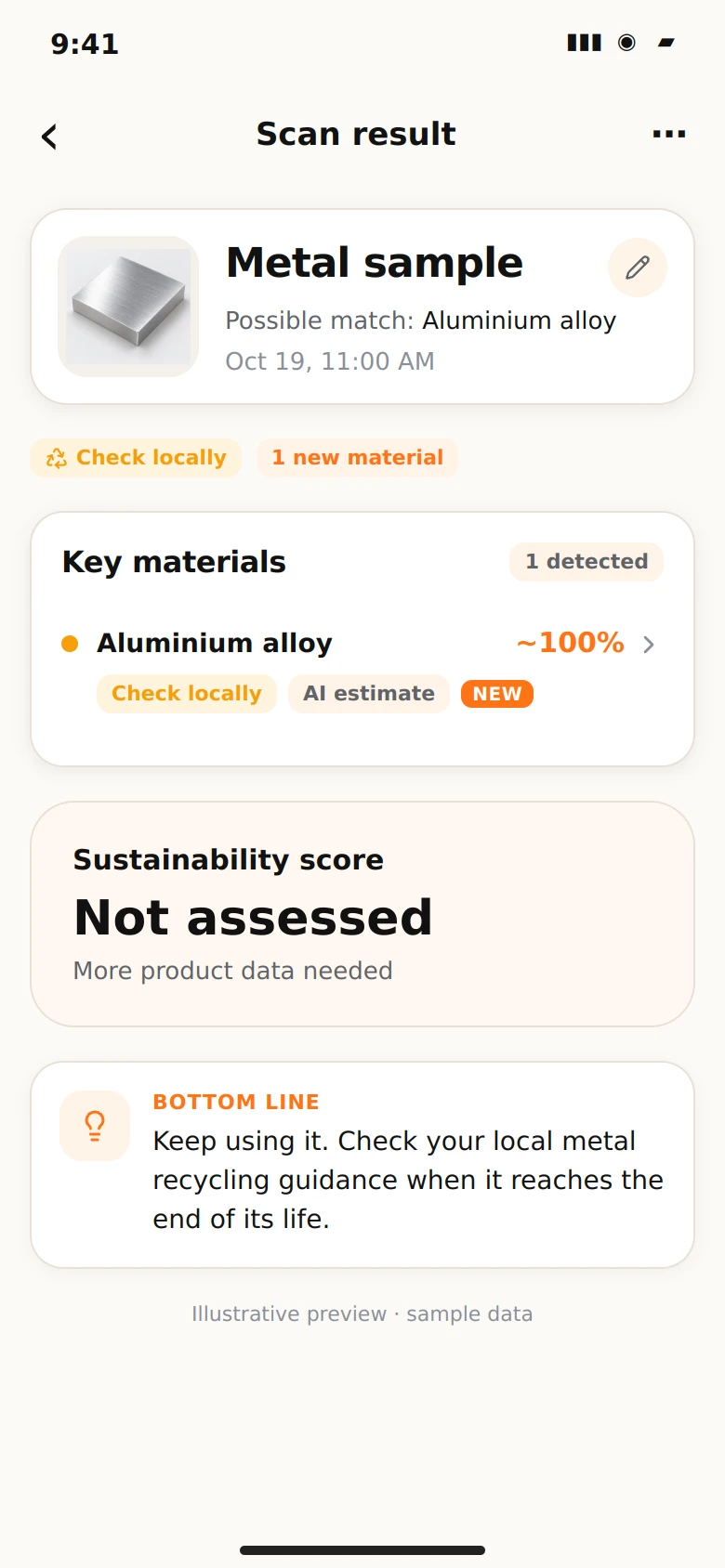
What an AI material scanner looks for
A material has more than a colour. Woven threads, wood grain, a brushed finish and the way parts join together all contribute to its appearance. Materium analyses those visual details alongside the type of object and the role of each visible component.
Think of a desk: its grain offers information about the surface, while an exposed edge adds context about its construction. A clear whole-object photo and a closer surface image give you a useful starting point for exploring both.
How Materium builds the report
The initial assessment organises the object, visible patterns and likely materials into a structured result. A deeper stage adds material information, applications and practical context. Materium’s material catalogue helps connect recognised names with consistent library entries and specimen images.
The report also distinguishes visible evidence from inferred details, helping you read each finding in context. Where patent insights are available, the object’s form, function and construction inform related research suggestions. These offer useful directions for exploring how similar products are designed and made.
Bring your own evidence into the picture
For a richer material record, keep a clear photo alongside a readable label, material marking or product specification. A clothing label, for example, can add a stated fibre blend to the surface details in your scan. FTC textile guidance explains the role of such labels in the US.
In your research notes, distinguish what is visible, what the report suggests and what the product documentation states. This creates a useful trail you can return to as you learn more about the object.
Put the result to work
Use your scan to learn about unfamiliar materials, build design references or develop a personal collection. Save the result in your library and return to the material information when a new question arises.
Photo analysis provides informed estimates. For exact composition or a decision with specific safety or performance requirements, pair the report with the relevant product documentation or appropriate testing. This keeps the level of evidence matched to the decision you want to make.
Explore how Materium analyses patterns and material context, including the role of different information layers in a material investigation.
Sources and further reading
Sources checked 2026-10-19. Regional guidance is identified by location, with industry and supplier references labelled.
Published by Materium with AI assistance. Read our source and editorial approach.
Updated : Updated to explain the material analysis workflow, visual pattern interpretation and patent research suggestions.
Material reference
- Cotton: properties and identification clues
- Polyester: properties and identification clues
- PET: properties and identification clues
- HDPE: properties and identification clues
- Polypropylene: properties and identification clues
- Cork: properties and identification clues
- Aluminium: properties and identification clues
- Stainless steel: properties and identification clues